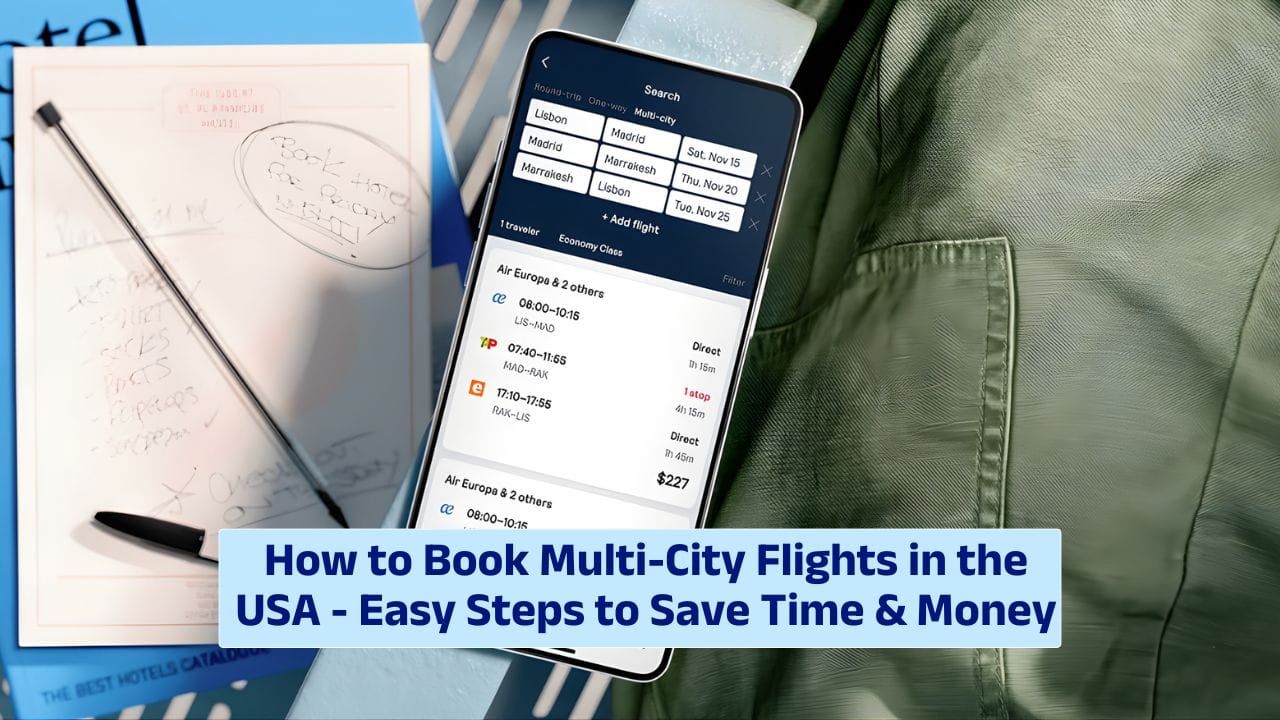
Thinking of investigating more than one U.S. city in a single trip? Booking a multi-city flight might be the smartest move you make. Whether you’re planning a business tour, a sightseeing adventure, or hopping between cities to visit friends and family, multi-city bookings can save you time, money, and stress.
In this guide, we’ll walk you through how to book multi-city flights in the USA—step-by-step, with tips to help you do it right.
Why
So, why choose multi-city over round-trip? Simple—it’s flexible and often cheaper. Instead of booking multiple one-way tickets or returning to your original city just to fly elsewhere, you create a travel route that works for you.
Here’s an example:
New York → Chicago → San Francisco → Los Angeles
Instead of flying back to NYC after each stop, a multi-city flight lets you keep moving forward. It’s efficient and often better value, especially if you’re visiting cities that aren’t close together.
Tools
Booking multi-city flights is easier than ever, thanks to online travel tools. Some of the best platforms to use include:
- Google Flights – Fast, flexible, and lets you compare prices across airlines
- Skyscanner – Great for budget options and flexible date searches
- Expedia or Kayak – All-in-one booking that includes hotels, cars, and activities
- Airline Websites – Major carriers like Delta, United, and American Airlines offer multi-city booking options directly
Each site has a “multi-city” or “multi-destination” tab—just look for it on the homepage before you search.
How
Here’s how to book a multi-city flight in a few simple steps:
- Go to a trusted travel site (like Google Flights or Expedia)
- Select “Multi-city” or “Multi-destination” as your trip type
- Enter your cities and dates – Add up to 6 flights in one booking
- Review flight options – Compare airlines, layovers, and prices
- Choose your flights – Pick the combos that work best for your schedule
- Enter passenger details and payment – Just like any flight booking
- Confirm and get your itinerary – You’re good to go!
That’s it. It’s basically like booking a regular flight—just with more stops.
Tips
Want to get the most out of your multi-city booking? Use these tips:
- Be flexible – Try adjusting your travel dates by a day or two to find lower fares
- Use open-jaw routes – For example, fly into Miami and out of Seattle, with stops in between
- Pack smart – You’ll be moving around, so pack light and avoid checking bags if possible
- Double-check airport codes – Cities like NYC and LAX have multiple airports, so be sure you know where you’re flying in and out of
- Consider a travel pass – Airlines like Southwest and JetBlue offer passes for frequent fliers
Here’s a table showing a sample itinerary and estimated pricing:
| Route | Airline | Est. Cost | Duration |
|---|---|---|---|
| New York → Chicago | United Airlines | $120 | 2.5 hrs |
| Chicago → San Francisco | Delta Airlines | $180 | 4.5 hrs |
| San Francisco → Los Angeles | Alaska Airlines | $80 | 1.5 hrs |
| Total Trip Cost | – | $380 | – |
Booking all of this in one multi-city ticket could save you $100+ vs. booking separately.
Apps
Using a travel app helps keep everything in one place. Try these:
- TripIt – Organizes your full itinerary, even with multiple airlines
- Hopper – Tracks prices and tells you when to book
- Google Travel – Links all your bookings via Gmail and suggests hotels, things to do, and more
Apps are especially helpful when plans change. You’ll get real-time updates and reminders for check-ins and gate changes.
Refunds
What happens if your plans change? Here’s what to know:
- Check the fare rules – Some airlines offer free cancellations or credits
- Consider travel insurance – Protects your trip in case of cancellations, delays, or emergencies
- Use flexible fare options – Slightly more expensive, but safer if you’re not 100% sure of your schedule
Multi-city trips often have stricter rules, so always read the fine print before booking.
Booking a multi-city flight in the U.S. can be a fun, budget-friendly way to observe the country—without backtracking or juggling too many bookings. Just plan ahead, use the right tools, and stay flexible. Before you know it, you’ll be city-hopping like a pro, from coast to coast.
FAQs
What is a multi-city flight?
It’s a flight booking with stops in multiple cities instead of just one round-trip.
Is multi-city cheaper than round-trip?
It can be, especially if you’re visiting several cities in one trip.
How many cities can I add?
Most platforms allow up to 6 flights per multi-city booking.
Can I book multi-city flights on airline sites?
Yes, major airlines like Delta and United offer this feature directly.